ron
Laboratory Simulations for Remote Learning
- Laboratory Simulations for Remote Learning
During this time of remote learning, we want to support your time away from the lab. The following is a list of laboratory simulation resources. These resources are freely available, potentially for a limited time.
A range of different subjects from Anatomy and Physiology to Sciences
BlocksCAD
- BlocksCAD

BlocksCAD is the graphical, engaging, and effective way to teach coding, where the outcome is improved math & computer science skills.Educator and Administrative Features:- Create classes
- Manage your student’s accounts
- Access and Edit student code
- Download student .stl files for your 3D printer
- Support from the BlocksCAD team
- See how long students spend on their designs
- Lessons provided for grades 3-12:
- Introductory lessons
- Common Core math aligned lessons
- CSTA Computer Science standards aligned lessons
- Create your own custom lessons
Program Virtual Robots using Gears
Controlling the Micro:bit from a Phone App
Join the UK Bebras Challenge 2024
- Join the UK Bebras Challenge 2024

UK Bebras is a free-to-enter annual competition that is designed to spark interest in computational thinking among students aged 6 to 19 by providing engaging and thought-provoking activities. The 45-minute challenge is accessible to everyone, offering age-appropriate interactive questions for students at different levels, including a tailored version for students with severe sight impairments. The questions are designed to give every student the opportunity to showcase their potential, whether they excel in maths or computing, or not. With self-marking questions and no programming required, it’s easy for schools to participate.
Raspberry Pi Code Editor
- Code Editor For Education
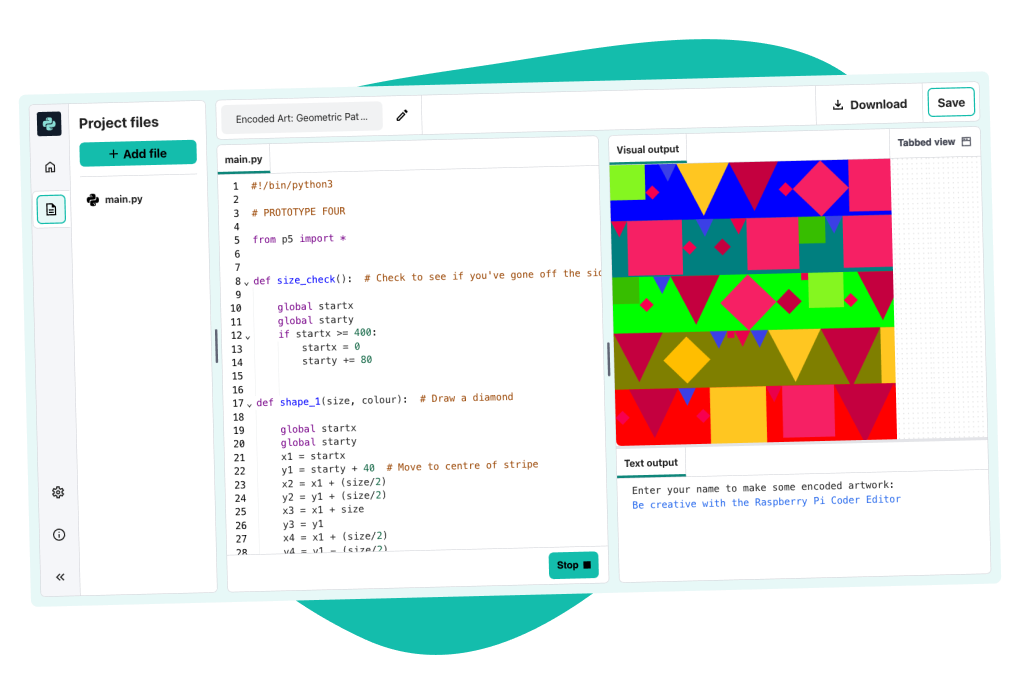
An IDE designed for learners. Tailored specifically to young people’s needs, our integrated development environment (IDE) helps make learning text-based programming simple and accessible for children aged 9 and up. It’s safe, age-appropriate, and suitable for use in the classroom.
Visualize data from CSV file in Python
Visualize data from CSV file in Python

CSV stands for ‘Comma-Separated Values‘. It means the data(values) in a CSV file are separated by a delimiter i.e., comma. Data in a CSV file is stored in tabular format with an extension of .csv. Generally, CSV files are used with Google spreadsheets or Microsoft Excel sheets. A CSV file contains a number of records with the data spread across rows and columns. In this article, we are going to visualize data from a CSV file in Python
Codewars
- Codewars
Achieve mastery through challenge
Improve your development skills by training with your peers on code kata that continuously challenge and push your coding practice.
Raspberry Pi Foundation
- Raspberry Pi Foundation

We enable young people to realise their full potential through the power of computing and digital technologies
Resources for Scratch Coding, Coding in Python, Designing 3D Worlds in C#, and
Many ideas for projects
Microbit and Home Assistant

BBC micropython envirobit to Home-Assistant.
Wokwi online Electronics simulator
Wokwi online Electronics simulator
Wokwi is an online Electronics simulator. You can use it to simulate Arduino, ESP32, STM32, and many other popular boards, parts and sensors.
- Start right now. No waiting for components, or downloading large software. Your browser has everything you need to start coding your next IoT project in seconds.
- Mistakes are okay. You can’t destroy the virtual hardware. Trust us, we tried. So don’t worry about frying your precious components. And unlike real hardware, you can always undo.
- Easy to get help and feedback. Sharing a link to your Wokwi project is all you need.
- Gain confidence in your code. Separate hardware and software issues.
- Unlimited hardware. No need to scavenge parts from old projects. Use as many parts as you need, without worrying about project price and stock.
- Maker-friendly community. A place for you to share your projects, ask for help, and get inspiration.
Simulate IoT Arduino Projects
Experience AI
CS Unplugged
NEW Coding and Robotics Curriculum
Hour of Code
New Coding Curriculum – Discussion
Ottodiy – Blockly Coding
https://ottodiy.github.io/blockly/www/
Microbit Makecode Blocks Cutout Cards
- Microbit Makecode Blocks Cutout Cards

Use these printable MakeCode blocks for unplugged activities.Cut them out to create a useful resource for planning projects, group work, when micro:bits or laptops are unavailable, for homework tasks and in displays.This resource includes commonly-used MakeCode blocks such as those used in First lessons with MakeCode and the micro:bit.
This content is published under a Creative Commons Attribution-ShareAlike 4.0 International (CC BY-SA 4.0) licence.
Editors
Editors for Raspberry Pi – Python and HTML